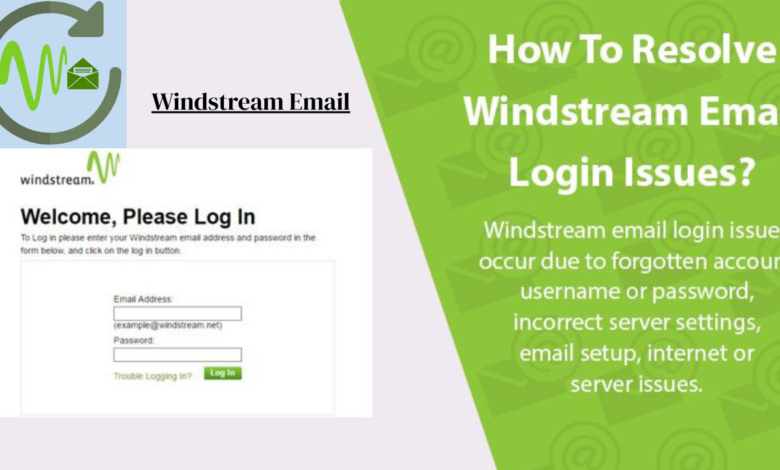
Windstream Email If you are a Windstream internet subscriber, chances are you have access to a account and if you have not set it up yet, you are honestly missing out. Windstream email, powered through Kinetic by Windstream, is a solid, no-frills email service that millions of users across rural and suburban America rely on every single day. Whether you are using it for personal communication, keeping up with bills, or just staying connected with family, this email service is more capable than most people give it credit for.
In this article, we are going to walk you through everything — from what Windstream email actually is, how to set it up, how to access it, common issues people run into, and how to make the most of the experience. So whether you are brand new to the service or you have been using it for years and just want to get more out of it, stick around because there is something here for everyone.
What Is Windstream Email
Windstream email is an email service provided by Windstream Communications, a major telecommunications company in the United States. The company primarily operates in rural and mid-sized markets, offering broadband internet, phone services, and digital TV. As part of their internet subscription packages, Windstream offers customers access to email accounts typically ending in @windstream.net or @alltel.net, depending on the region and the account history.
The service is web-based, meaning you can access it directly through a browser without needing to download any additional software. It also supports standard email protocols like IMAP and POP3, which means it plays nicely with third-party email clients like Microsoft Outlook, Apple Mail, Mozilla Thunderbird, and even mobile apps. This flexibility makes it easy to use whether you prefer checking email from a browser tab or from a dedicated app on your phone.
What makes Windstream email stand out from some alternatives is how deeply it is tied into the overall Kinetic by Windstream ecosystem. When you sign in to manage your internet account, your email is right there in the same portal. For people who want everything in one place without juggling multiple platforms, that kind of integration is genuinely convenient. It is not trying to compete with Gmail or Outlook in terms of features, but for everyday communication needs, it gets the job done reliably.
How to Create a Windstream Email Account

Setting up a Windstream email account is pretty straightforward, but there are a few steps you want to follow carefully to avoid any hiccups. First and foremost, you need to be an active Windstream internet subscriber. Unlike free webmail services, is a perk that comes with your internet plan — it is not something you can sign up for on its own without having an active service account.
To create your email account, head over to the official Kinetic by Windstream website and navigate to the account management portal. From there, you will log in using your billing account credentials or create a new MyWin account if you have not done so already. Once inside the portal, look for the option to set up or manage your email. You will typically be prompted to choose a username, which will become the first part of your email address before the @windstream.net domain. Choose something professional or memorable since changing it later can be a bit of a process.
After you choose your username, you will set a password. Make sure it is strong — use a mix of uppercase and lowercase letters, numbers, and at least one special character. accounts are just as vulnerable to hacking attempts as any other email service, so do not take password security lightly. Once the account is created, you will receive a confirmation and your new Windstream email address will be active and ready to use almost immediately.
How to Access Windstream Email
Accessing your Windstream email is simple and can be done in a few different ways depending on your preference and the device you are using. The most common method is through the web-based portal. Just open any web browser, go to the Windstream or Kinetic by Windstream homepage, and click on the email login option. Enter your full email address and password, and you will be taken directly to your inbox.
If you prefer to use an email client on your desktop or laptop, you can configure your Windstream email using IMAP or POP3 settings. For IMAP, the incoming mail server is typically imap.windstream.net with port 993 and SSL enabled. The outgoing mail server (SMTP) is usually smtp.windstream.net with port 587 and STARTTLS. Using IMAP is generally recommended over POP3 because IMAP keeps your messages synced across all devices, so if you read an email on your phone, it will also show as read when you log in from your laptop.
Mobile access is also fully supported. You can add your Windstream email account to the native mail app on both iOS and Android devices. The setup process is similar to configuring a desktop client — you just need your email address, password, and the correct server settings mentioned above. Once added, your will behave just like any other account on your phone, with push notifications for new messages if your device supports it. This makes staying on top of your inbox a lot easier, especially for people who are always on the go.
Windstream Email Settings You Should Know
Getting familiar with your Windstream email settings can make a big difference in how smoothly the service runs for you. Once you are logged in to the web portal, look for the settings or preferences section — this is where most of the important customization options live. You can set up an email signature here, which is a small but professional touch that saves you from having to type out your name and contact details at the end of every message.
Another setting worth paying attention to is the spam filter configuration. Windstream email comes with a built-in spam filter, but its default sensitivity might not match what you need. If important emails are ending up in your spam folder, you may want to lower the filter sensitivity or add trusted senders to your safe list. On the flip side, if you are getting too much junk mail in your inbox, bumping up the filter strength can help clean things up significantly.
You should also explore the auto-reply and vacation responder features, especially if you travel frequently or take extended breaks from checking email. Setting up an automatic response lets people know you have received their message and gives them an idea of when they can expect a real reply. Additionally, familiarize yourself with the folder and label management options so you can organize your inbox in a way that makes sense for your life. A well-organized inbox is not just satisfying — it genuinely saves you time every day.
Common Windstream Email Problems and How to Fix Them
Like any email service, Windstream email is not completely immune to issues. One of the most common problems users report is being unable to log in. This can happen for a few different reasons. The most obvious one is a forgotten password, which can be fixed by using the password reset option on the login page. You will need access to a recovery email or phone number associated with your account to complete the reset. If you do not have those set up, you may need to contact Windstream customer support directly.
Another frequent issue is email not sending or receiving properly. This is often a server configuration problem, especially for users who have set up their Windstream email in a third-party client like Outlook or Thunderbird. Double-check your IMAP and SMTP server settings to make sure everything matches the correct values. Also, verify that your password in the email client is up to date — if you recently changed your password, you will need to update it in every app and client where the account is configured.
Sometimes users notice that their Windstream email loads slowly or has trouble displaying certain messages. This can usually be traced back to browser compatibility issues or accumulated browser cache. Clearing your browser cache and cookies, or switching to a different browser, often resolves the problem quickly. If the issue persists, it may be worth checking if there is a service outage in your area through Windstream’s status page or by calling their support line. Server-side issues are rare but they do happen occasionally, and in those cases, there is not much you can do except wait it out.
Security Tips for Your Windstream Email Account
Email security is something a lot of people underestimate until something goes wrong, and Windstream email users are no exception. The first and most important thing you can do to protect your account is to use a strong, unique password that you do not use anywhere else. If you reuse the same password across multiple accounts and one of those accounts gets compromised, all your other accounts become vulnerable as well. Consider using a password manager to keep track of complex passwords without having to memorize them.
Phishing is another major threat that Windstream email users should be aware of. Phishing emails are designed to look like legitimate messages from trusted companies, but they are actually attempts to steal your login credentials or personal information. Be very cautious about clicking links in emails, especially if they ask you to verify your account information or log in through an unfamiliar page. Windstream will never ask you to provide your full password through an email. If something looks suspicious, trust your gut and do not click.
It is also a good idea to regularly review your email account activity if that option is available. Look for any sign-ins from locations or devices you do not recognize. If you notice something unusual, change your password immediately and consider reaching out to Windstream support to flag the activity. Keeping your account recovery information up to date — including your backup email and phone number — ensures that you can quickly regain access to your account if something does go wrong.
How Windstream Email Compares to Other Email Providers
It is fair to say that Windstream email is not trying to compete with the big players like Gmail, Outlook, or Yahoo Mail in terms of raw features. What it offers is simplicity and integration with your existing Windstream internet service. For subscribers who want one less platform to manage and are comfortable with a straightforward, functional email experience, hits the mark without overcomplicating things.
That said, if you are looking for advanced features like extensive cloud storage, AI-powered sorting, robust collaboration tools, or deep integration with productivity suites, Windstream email may feel a bit limited. Gmail, for instance, offers 15GB of free storage shared across Google services, while typically comes with more modest storage allocations. For heavy email users who send and receive a lot of attachments, this can become a limitation over time.
However, for the average residential user — someone who checks email a few times a day, sends the occasional message, and needs a reliable inbox they can count on — Windstream email is perfectly adequate. It is stable, it is easy to use, and it comes included with the internet service you are already paying for. That combination of reliability and value makes it a practical choice for millions of subscribers, particularly in the rural and semi-rural communities where Windstream operates.
Final Thoughts on Windstream Email
Windstream email might not make headlines the way Gmail or Outlook do, but it is a genuinely solid email service for those who are already in the Windstream ecosystem. It is reliable, easy to set up, accessible from any device, and comes bundled with your internet subscription at no extra cost. When you take the time to configure it properly and familiarize yourself with its settings, it works smoothly day in and day out.
The key is knowing what it is and what it is not. It is not a feature-packed powerhouse built for enterprise users or tech enthusiasts. It is a clean, dependable email service built for everyday people who want something that just works. Set up strong security practices, keep your settings organized, and do not be afraid to reach out to Windstream support when you run into issues — because like any technology, things can go sideways occasionally.
Whether you are just getting started with Windstream email or you have been using it for years and wanted a refresher on what is possible, hopefully this guide has given you a clearer picture of what the service offers and how to make the most of it. Your inbox is a surprisingly important part of your digital life, and with the right setup, can handle that job just fine.
You May Also Read